
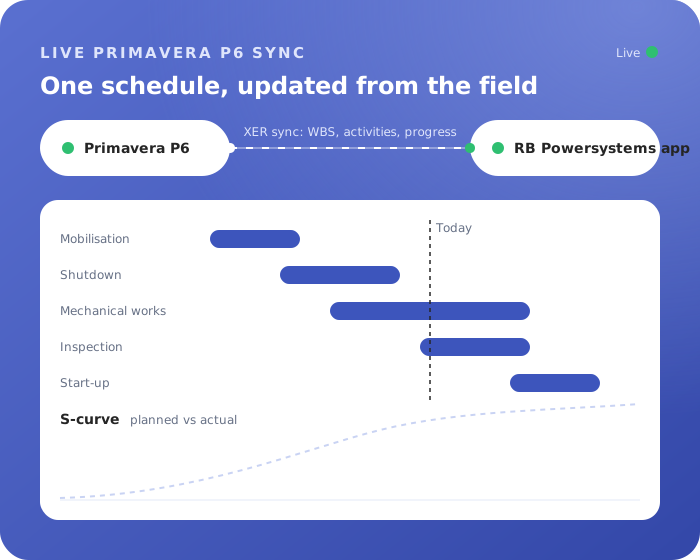


On almost every project there is one schedule that matters, and it lives in Primavera P6. The schedulers know it inside out. For everyone else, it is a black box. They receive a PDF, an Excel export or a screenshot in a meeting, and by the time they have read it, things have already moved on.
The way back is just as cumbersome. Progress from the field arrives by email, in spreadsheets, or in a conversation at the coffee machine. Someone has to collect it, interpret it and type it into P6. The schedule is only ever as current as the last time someone found the time to update it.
P6 stays the planning system
RBPS Project Intelligence does not try to replace P6. Your schedulers keep planning where they are most productive. The app imports the schedule via XER and turns it into something everyone on the project can actually use, on a laptop, a tablet or a phone.
What the team gets
Managers get a portfolio overview: all projects side by side, with their milestones, deadlines and the points that need attention. From there you can open any project in an interactive Gantt, with the WBS, activities, dependencies and resources in view.
The people doing the work get a simple way to report progress, per activity or per resource, with comments and a full history of who reported what and when. No more chasing updates at the end of the week.
Project controls get the numbers: planned versus actual hours, remaining work and resource load, and dashboards with S-curves that show at a glance whether the project is on track. On top of that, the app helps you analyse risks, milestones and open actions, so problems come up early instead of at the next review.
Progress flows back to P6
All that progress does not stay in the app. Progress and actual hours go back to P6 via XER, so the schedule stays current without anyone retyping updates. The schedulers keep control over what goes into the plan; they just no longer have to collect it by hand.
Only your schedulers need a P6 license
Because everyone else works in the app, you do not need a P6 license for every person who wants to see the schedule. Only your schedulers need a Primavera P6 license. Everyone else views schedules and reports progress in the app. Need licenses? We arrange them through our official licensing partner.
Built on Microsoft, in your own tenant
Project Intelligence runs on Microsoft Power Platform in your own Microsoft tenant, so your project data stays in your environment. It fits naturally next to our Turnaround Suite and CAPEX app.
See your own schedule in the app
Seeing your own projects in the app says more than any description. Book a 30-minute demo and we show how Project Intelligence would work for your team.