
Your Primavera P6 planning, made usable for everyone
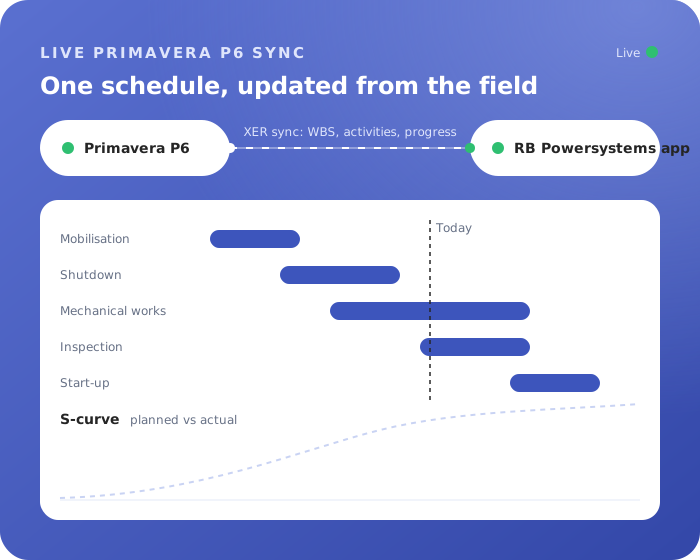
P6 stays your leading planning system. Project Intelligence brings the schedule to everyone on the project: Gantt, progress, resources, dashboards and S-curves in one app.









Only your schedulers need a Primavera P6 license. Everyone else views schedules and reports progress in the app. Need licenses? We arrange them through our official licensing partner.
The problem today
Why this takes so long now
Few people can open P6
The schedule reaches the team as PDFs and screenshots that are outdated the day after.
Progress by email
Supervisors report progress in Excel and email. Schedulers retype it into P6.
No single overview
Resources, risks, milestones and actions are spread over separate files.
How it works
Three steps, and you stay in control
- 1
Import from P6
Load your schedule through XER: activities, WBS, resources and baselines.
- 2
Everyone works in the app
Teams see the Gantt and WBS, report progress per activity and resource, and follow risks and actions.
- 3
Back to P6
Progress and actual hours go back to P6, so your schedulers update the plan with real data.
What you get
Everything in one place
Built on Microsoft Power Platform in your own tenant. It connects to what you already use:
- Portfolio overview of all projects
- Interactive Gantt and WBS
- Progress per activity and resource
- Resource and capacity management
- Dashboards and S-curves
- Risks, milestones and actions
Questions
Good to know
Something else on your mind? Ask us in the demo, we are happy to show it with your own examples.
Does this replace Primavera P6?
No. P6 stays the leading planning system. The app makes the schedule usable for everyone else and feeds progress back.
Who needs a P6 license?
Only your schedulers need a Primavera P6 license. Everyone else views schedules and reports progress in the app. Need licenses? We arrange them through our official licensing partner.
Which other licenses do we need?
A Power Apps license per user. The app runs in your own Microsoft tenant.
How fast can we start?
Once we have your data and access, the app is live within 5 weeks.
See it with your own work
Bring a real example. We show you what the app does with it, and what it would take to have it running in your tenant.
Turnaround Suite
From the first scope list to lessons learned, in one connected app.